
Hybrid AI: Local Speed, Cloud Power for Image Workflows
Published on Tháng 1 20, 2026 by Admin
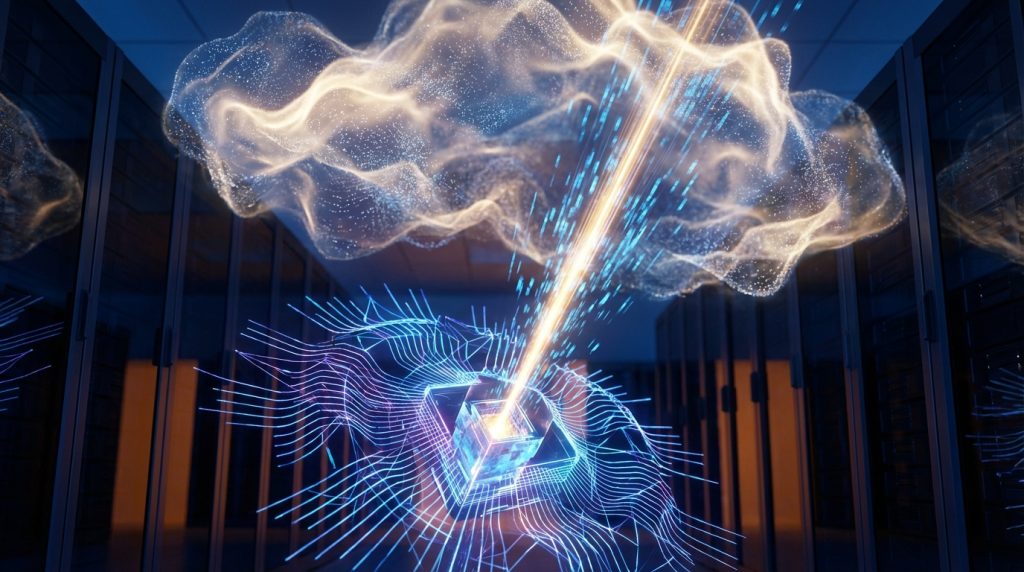
As an advanced AI art hobbyist, you’ve likely faced a common dilemma. Should you invest in a powerful local GPU for speed and privacy? Or should you rely on cloud services for access to the best models? Fortunately, you don’t have to choose. A hybrid workflow combines the best of both worlds. This approach gives you unmatched flexibility, power, and cost-efficiency.
In this guide, we explore how to build a hybrid local and cloud AI image workflow. You will learn to use your local machine for rapid ideation. Then, you can leverage the cloud for heavy-duty tasks. As a result, you get a powerful, streamlined process.
What Is a Hybrid AI Image Workflow?
A hybrid AI image workflow is a creative process that splits tasks between your personal computer and cloud-based AI services. Instead of relying on just one environment, you strategically use the strengths of each. This creates a more efficient and powerful system.
For example, you might generate dozens of rough image concepts on your local PC. This is fast and free. After selecting the best one, you could then send it to a cloud service for advanced upscaling or fine-tuning. Therefore, you only pay for the most demanding parts of your project.
The Core Principle: Smart Task Delegation
The main idea behind a hybrid model is smart task delegation. You assign simple, repetitive, or experimental tasks to your local hardware. In contrast, you offload resource-intensive or specialized jobs to the cloud’s powerful servers. This balance is the key to an optimized workflow.
It allows you to maintain creative control and privacy while tapping into virtually limitless computational power when needed. Ultimately, this approach saves you both time and money.
The Power of Local AI: Speed and Control
Running AI models on your own computer offers significant advantages. The most obvious benefits are speed, control, and privacy. When you generate images locally, you are the only user. This means no queues, no wait times, and no unexpected service changes.
Rapid Iteration and Experimentation
Local generation is perfect for the brainstorming phase. You can tweak prompts and test ideas in seconds. Moreover, you can generate hundreds of images without worrying about per-image costs or credit limits. This freedom encourages experimentation. As a result, you can discover unique artistic styles and compositions much faster.
Tools like Stable Diffusion with interfaces like ComfyUI or Automatic1111 put incredible power at your fingertips. You can change models, LoRAs, and settings instantly. This responsive feedback loop is crucial for creative flow. Many hobbyists find that exploring low-cost local hosting for image models is the best way to start.
Privacy and Data Security
Another major benefit of local AI is privacy. Everything you create stays on your own hard drive. You don’t need to upload your prompts or resulting images to a third-party server. For artists working on sensitive projects or simply valuing their privacy, this is a non-negotiable feature.
The Limits of Local-Only Setups
While local AI is fantastic, it does have its limitations. These drawbacks become more apparent as your projects grow in complexity and scale. Therefore, a purely local setup might not always be the best solution.
Hardware Constraints and Costs
The biggest hurdle for local AI is hardware. High-end GPUs with lots of VRAM are expensive. Even with a good card, you might struggle with very large models or high-resolution outputs. Training or fine-tuning models, for instance, can require more VRAM than most consumer-grade cards offer.
This hardware bottleneck can limit your creative options. You might have to use smaller models or work at lower resolutions, which compromises final image quality.
Model Management and Storage
AI models are not small. A single model file can be several gigabytes, and it’s common for hobbyists to have dozens of them. Managing these files, along with their associated LoRAs and embeddings, can quickly consume a lot of storage space and become a logistical challenge.
Why Integrate the Cloud? Scalability and Power
This is where the cloud part of the hybrid workflow shines. Cloud AI platforms offer access to enterprise-grade hardware and cutting-edge models that are often impractical to run at home. By integrating the cloud, you overcome the limitations of your local setup.
Access to State-of-the-Art Models
Cloud services like Midjourney or DALL-E 3 often feature proprietary models with unique capabilities. These platforms handle all the backend complexity, allowing you to focus purely on the creative aspect. They provide a different flavor of image generation that can complement your local creations.
Heavy Lifting: Upscaling and Training
The cloud is perfect for tasks that would overwhelm a home PC. For example, upscaling a 1024×1024 image to a massive 8K resolution for printing requires immense VRAM. Offloading this task to a cloud upscaler is both faster and more effective.
Similarly, fine-tuning a model on a custom dataset is a very demanding process. Using on-demand GPU power from a cloud provider makes this accessible to hobbyists without requiring a huge upfront hardware investment.
Building Your Hybrid Workflow: A Practical Guide
Creating a hybrid workflow is straightforward. It involves using your local setup for the initial creative work and then strategically using cloud services for finishing touches or specialized tasks. Here’s a simple, step-by-step approach.
Step 1: Local Generation for Ideation
Start your project on your local machine. Use Stable Diffusion to generate a wide variety of images based on your initial prompt. Focus on composition, color, and subject matter. Don’t worry about perfect details at this stage. The goal is to produce a strong base image that captures your vision.
Step 2: Cloud for High-Fidelity Upscaling
Once you have an image you love, it’s time to enhance it. While local upscalers exist, cloud-based services often use more powerful models that can add incredible detail while removing artifacts. Upload your low-resolution image to an AI upscaling service to generate a high-resolution version suitable for printing or digital display.
Step 3: Cloud for Specialized Tasks
Sometimes, a project requires a special touch. You might want to fine-tune a model on your own art to create a custom style. Or perhaps you need to use a specific proprietary model for a certain aesthetic. These are perfect use cases for the cloud. You can rent a powerful GPU for a few hours to train a LoRA or use a platform-specific feature to complete your image.
Example Hybrid Workflow Scenario
Let’s imagine a digital artist creating a fantasy character portrait. The process might look like this:
- Local Ideation: The artist uses Stable Diffusion on their PC to generate 50 different character concepts with a “fantasy elf warrior” prompt. This takes about 20 minutes and costs nothing.
- Selection: After reviewing the concepts, they choose one with a strong pose and interesting armor design.
- Cloud Upscaling: The artist uploads the 1024×1024 image to a cloud upscaling service. For a small fee, they receive a detailed 4096×4096 image in just a few minutes.
- Final Touches: Finally, the artist opens the upscaled image in a photo editor for minor color correction and to sign their work.
In this example, the hybrid workflow provided speed, cost-efficiency, and a high-quality final product.
Frequently Asked Questions (FAQ)
What hardware do I need for the local part?
For a good local experience, you should aim for a modern NVIDIA GPU with at least 8 GB of VRAM. A card with 12 GB or 16 GB is even better and will allow you to work with larger models and higher resolutions. In addition, a reasonably fast CPU and at least 16 GB of system RAM are recommended.
Are cloud services expensive?
Cloud service costs vary widely. Some platforms use a subscription model, while others charge based on usage (e.g., per image or per minute of GPU time). The key to a hybrid workflow is using the cloud strategically. By doing most of your work locally for free, you minimize your cloud spending, only paying for the specific tasks where it offers a clear advantage.
Is this workflow difficult to set up?
The initial setup has a learning curve. However, the AI community has created many one-click installers and detailed guides for local tools like Automatic1111. Once the local part is running, using cloud services is typically very simple, often involving just a web interface. The process is very accessible for a dedicated hobbyist.
Conclusion: The Best of Both Worlds
In conclusion, a hybrid local and cloud AI image workflow offers a powerful solution for advanced hobbyists. It combines the speed, control, and privacy of local generation with the immense power and scalability of the cloud. This approach allows you to iterate quickly, experiment freely, and achieve professional-quality results.
By delegating tasks intelligently, you can optimize your creative process. You save money, enhance your capabilities, and maintain full artistic control. Therefore, embracing a hybrid model is one of the smartest moves you can make in your AI art journey.
