
Container Density Secrets: Pack More, Spend Less
Published on Tháng 1 6, 2026 by Admin
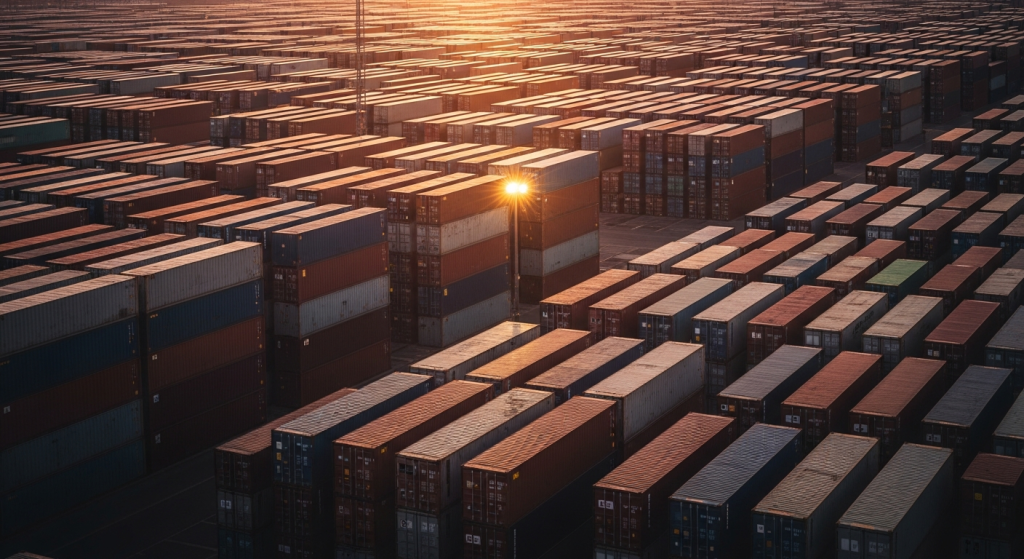
As a Platform Engineer, you are constantly balancing performance, stability, and cost. One of the most powerful levers you can pull is container density. However, increasing density is not just about cramming more containers onto a node. It is a science of efficient packing.
Interestingly, a study revealed a surprising secret about M&M candies. Scientists found that M&Ms pack together more densely than perfect spheres when randomly jumbled. Their irregular, ellipsoid shape allows them to form more contact points, reducing wasted space. This principle holds a profound lesson for us in the world of containers.
This article uncovers the secrets to maximizing your container density. We will move from foundational concepts to advanced Kubernetes strategies. Ultimately, you’ll learn how to pack your nodes more efficiently, slash your cloud bill, and build more resilient systems.
What is Container Density, Really?
Before we dive deep, let’s establish a clear definition. Imagine a simple science experiment: a density tower. You can stack different liquids like honey, water, and oil in a column without them mixing. The heavier, denser liquids like honey sink to the bottom, while lighter, less dense liquids like oil float on top.
In cloud native terms, container density follows a similar logic.
Container Density is the number of container workloads you can run on a given set of compute resources (a node or a cluster) without negatively impacting performance.
The equation is simple: more workloads on the same hardware equals higher density. Consequently, higher density leads to better resource utilization and lower costs. It’s about getting the most value from every CPU core and every gigabyte of RAM you pay for.
Why It’s More Than Just Numbers
Achieving high density is not simply a numbers game. It’s about smart orchestration. A poorly packed node, much like a poorly packed box, is full of wasted potential. On the other hand, a node packed too tightly without proper rules can lead to “noisy neighbor” problems, where one greedy container starves others of resources, causing performance degradation or crashes.
Therefore, the true secret lies in finding the sweet spot: maximum utilization with guaranteed stability.
The “Empty Space” Problem: Bloated Containers
A huge barrier to high density is container image bloat. Think about liquid laundry detergent. Over 30 billion loads of laundry are done each year in North America, and most detergent is primarily water shipped in large plastic jugs. A company called Shecology created concentrated laundry pills, eliminating the plastic and the cost of shipping water.
Your container images can be just like those wasteful jugs. When an image contains unnecessary build tools, libraries, or even entire operating systems, you are wasting resources. This “fat” increases storage costs, slows down pull times during deployments, and expands the potential attack surface for security vulnerabilities.
How to Slim Down Your Images
Trimming the fat from your containers is a crucial first step. Here are some effective strategies:
- Use Minimal Base Images: Instead of starting with a full `ubuntu` image, opt for leaner alternatives like `alpine`, or even better, `distroless` images from Google, which contain only your application and its runtime dependencies.
- Implement Multi-Stage Builds: Use a multi-stage `Dockerfile`. Your first stage can be a build environment with all the SDKs and tools needed to compile your code. The final stage then copies only the compiled artifact into a clean, minimal production image.
- Clean Up Layers: Be meticulous in your `Dockerfile`. Chain `RUN` commands together and clean up package manager caches (like `apt-get clean`) in the same layer to reduce image size.
By creating smaller, more concentrated images, you reduce the “mass” of each container, allowing you to pack more of them into the same “volume” of node resources.

Strategic Placement: The Eligibility Test
Not all containers are created equal, and neither are your nodes. Some nodes might have GPUs, others might have fast SSDs, and some might be designated for specific teams. A successful high-density strategy depends on placing the right workloads in the right places.
Consider a container deposit scheme, which offers a refund for eligible beverage containers. You can’t just return any plastic bottle; it must have a specific refund mark and be an eligible container type like PET or HDPE. This system of rules ensures the recycling process works smoothly.
Kubernetes has a similar, but more powerful, set of rules for workload placement.
Kubernetes Placement Controls
You can guide the Kubernetes scheduler to make intelligent decisions using these tools:
- Taints and Tolerations: Taints are applied to nodes to repel pods. A pod must have a matching “toleration” to be scheduled on that tainted node. This is perfect for dedicating nodes to specific workloads (e.g., only scheduling GPU-enabled pods on GPU nodes).
- Node Affinity: This feature attracts pods to a set of nodes based on node labels. You can use it for required (`requiredDuringSchedulingIgnoredDuringExecution`) or preferred (`preferredDuringSchedulingIgnoredDuringExecution`) placement. For example, you could prefer to schedule a workload in a specific availability zone.
- Pod Affinity/Anti-Affinity: This controls how pods are scheduled relative to other pods. For instance, you might use pod affinity to co-locate a web server and its cache for low latency. Conversely, you could use pod anti-affinity to ensure high-availability replicas of a database are spread across different nodes or racks.
Mastering these placement controls is like giving the scheduler a detailed blueprint, ensuring every container lands in its optimal, “eligible” spot.
Defining Boundaries: Requests and Limits
The most critical secret to managing density is defining clear resource boundaries for your containers. Without them, you’re inviting chaos. Kubernetes provides two essential parameters for this: `requests` and `limits`.
These parameters are the direct levers you pull to control how much CPU and memory a container can use, much like the options available in Docker’s service creation commands.
Requests vs. Limits
- Requests: This is the amount of resources you guarantee for a container. The Kubernetes scheduler uses this value to find a node with enough available capacity. A pod will not be scheduled if its resource requests cannot be met.
- Limits: This is the maximum amount of resources a container is allowed to use. The CPU can be throttled if it exceeds its limit, and a container will be terminated (OOMKilled) if it exceeds its memory limit.
These settings determine a pod’s Quality of Service (QoS) class:
- Guaranteed: `requests` equal `limits`. These are top-priority pods.
- Burstable: `requests` are less than `limits`. These pods can “burst” and use more resources up to their limit if available on the node.
- BestEffort: No `requests` or `limits` are set. These are the lowest priority and the first to be evicted under resource pressure.
Setting these values correctly is fundamental. Leaving them unset is risky. Setting them too high leads to resource waste and low density. Setting them too low can cause your applications to be throttled or killed. The key is to analyze actual usage and right-size them continuously.
Advanced Strategies for Maximum Density
Once you’ve mastered the basics, you can employ more advanced techniques to push your density even higher.
Bin Packing and Overcommitment
Bin packing is a scheduling strategy where Kubernetes tries to fill up nodes completely before moving on to the next. This is the opposite of a “spread” strategy, which distributes pods evenly. Bin packing is incredibly cost-effective because it minimizes the number of active nodes.
This strategy works best with overcommitment. You can intentionally set a container’s memory request lower than its limit. You are betting that the container won’t use all its allocated memory all the time. By doing this across many containers, you can “overcommit” the node’s resources, fitting more workloads than the sum of their limits would suggest. This is a powerful technique, but it requires careful monitoring to avoid mass evictions if usage spikes unexpectedly.
Continuous Right-Sizing and Automation
The quest for optimal density is not a one-time task; it’s a continuous process. Your application’s resource profile will change over time. Therefore, you must use monitoring tools to compare actual resource usage against the configured requests and limits.
A well-architected system, such as the baseline architecture for an AKS cluster, integrates observability from the start. This data is gold. It allows you to fine-tune your resource settings, which is a core tenet of FinOps. For a deeper dive into this, exploring strategies to slash your Kubernetes bill can provide a structured approach to identifying and eliminating waste.
Conclusion: The Art of Efficient Packing
Maximizing container density is one of the most impactful skills a Platform Engineer can develop. It’s a journey that transforms abstract concepts into tangible cost savings and operational efficiency.
We learned from M&Ms that irregular shapes pack better. We saw from laundry pills that concentration beats bloat. And we understood from recycling programs that rules and eligibility are essential for an efficient system.
By applying these secrets—building lean images, mastering Kubernetes placement rules, and diligently setting and tuning resource requests and limits—you move beyond simply running containers. You begin to orchestrate them with the precision of an expert, ensuring every resource is used to its fullest potential. The result is a cheaper, faster, and more robust platform.
Frequently Asked Questions
What is a good container density target?
There is no single magic number. A good target depends heavily on your workload characteristics and risk tolerance. For critical, stateful applications, you might aim for lower density (e.g., 60-70% resource utilization) to ensure ample headroom. For stateless, fault-tolerant web applications, you can push for higher density (e.g., 80-90%) through overcommitment and bin packing.
How does container density affect application performance?
If managed poorly, high density can degrade performance. This happens when multiple containers on the same node compete for shared resources like CPU, memory, or disk I/O—the “noisy neighbor” effect. However, if you correctly define resource requests and limits, you can isolate containers and guarantee their required resources, mitigating performance impacts.
What is the difference between bin packing and spread scheduling?
Bin packing is a strategy that tries to fill each node as much as possible before placing pods on a new, empty node. This minimizes the number of active nodes and is great for cost savings. Spread scheduling does the opposite; it tries to distribute pods as evenly as possible across all available nodes. This strategy is better for high availability, as losing a single node impacts a smaller percentage of your total replicas.
Is it possible to achieve 100% resource utilization on a node?
While theoretically possible, it is not practical or recommended. You must always reserve some resources for the underlying operating system and system daemons (like the kubelet). Furthermore, aiming for 100% utilization leaves no buffer for sudden traffic spikes or application bursts, increasing the risk of throttling and instability. A healthy target is typically in the 80-90% range for well-managed clusters.
