
The Hidden Dangers of Cheap Password Managers
Published on Tháng 12 25, 2025 by Admin
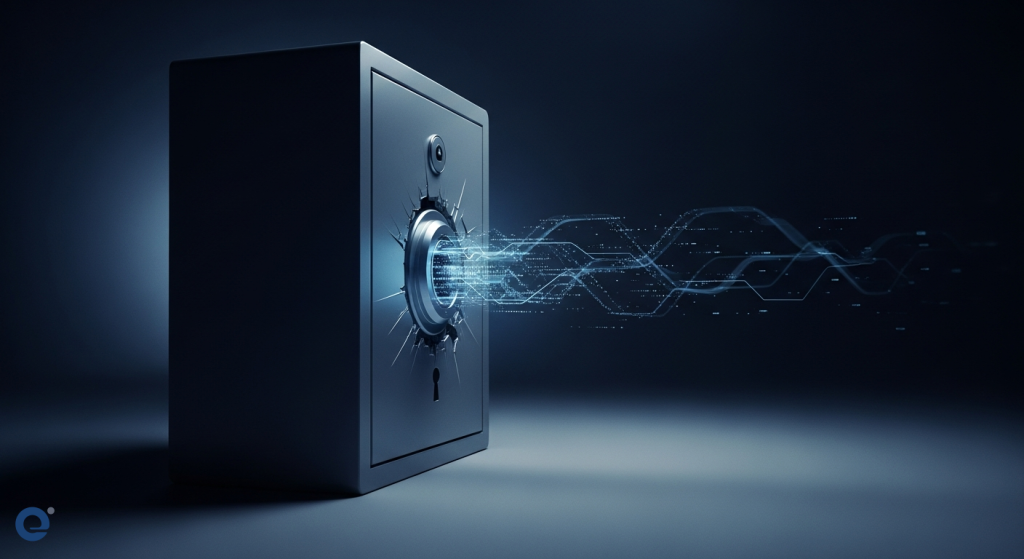
In today’s digital world, safeguarding your online accounts is paramount. Cryptocurrencies and sensitive financial data require robust protection. Many turn to password managers for convenience. However, not all password managers are created equal. Some may seem free or cheap, but they hide significant costs. These hidden costs can lead to devastating security breaches. Therefore, understanding these risks is crucial for security-conscious individuals and crypto-asset holders.
Why Password Managers Are Essential
You likely have many online accounts. Managing hundreds of passwords can be overwhelming. Keeping them in a notebook or spreadsheet is risky. Memorizing them all is nearly impossible. Password managers solve this problem. They act as a secure digital vault. This vault encrypts and stores all your login details. You only need to remember one master password. This master password unlocks your encrypted vault. It’s a much safer and more convenient method.
A good password manager helps you generate strong, unique passwords. It can also autofill them for you. This saves time and prevents password reuse. Password reuse is a major security vulnerability. If one account is compromised, others become vulnerable too. Password managers eliminate this risk. They allow for easy creation and management of complex passwords.
The Allure of “Free” and “Cheap” Tools
The market offers many password management solutions. Some come with attractive price tags. Free plans often have limitations. They might restrict the number of passwords you can store. Or perhaps they limit syncing across devices. This can be inconvenient, especially for hybrid work. Other tools are simply inexpensive. They might appear to offer a good deal. However, cutting corners on security can be a false economy.
Many users are drawn to these options due to budget constraints. Or they might underestimate the importance of advanced security features. They believe a basic solution is sufficient. Unfortunately, this often leads to unforeseen problems down the line. The initial savings are quickly overshadowed by much larger costs.
Hidden Costs of Poor Quality Password Management
When you opt for a low-quality password manager, you’re not just saving money. You’re often inviting significant risks. These risks translate into tangible and intangible costs. Let’s explore these hidden expenses.
1. Security Vulnerabilities and Data Breaches
This is the most significant hidden cost. Poorly designed or maintained password managers can have security flaws. These flaws can be exploited by cybercriminals. A data breach can expose your most sensitive information. This includes login credentials for banking, email, social media, and cryptocurrency exchanges.
The consequences of a breach are severe. It can lead to financial loss, identity theft, and reputational damage. Recovering from such an incident can be incredibly difficult and expensive. For crypto-asset holders, a breach on an exchange could mean losing all your digital wealth. The cost of recovering from a major breach far outweighs the savings from a cheap tool.
According to a NordPass survey, people have an average of 168 passwords for personal use and 87 for professional purposes NordPass. Managing this many credentials without a robust system is a recipe for disaster.
2. Inconvenience and Lost Productivity
While security is paramount, usability is also critical. A clunky or unreliable password manager can be frustrating. It might struggle to autofill credentials correctly. Or it might require manual input frequently. This leads to wasted time and reduced productivity.
Imagine spending extra minutes each day trying to log into accounts. Over weeks and months, this time adds up. For businesses, this lost productivity can impact the bottom line. For individuals, it’s simply annoying and inefficient.
3. Limited Features and Scalability
Free or cheap password managers often lack essential features. These features are standard in reputable paid services. Examples include advanced security audits, data breach scanners, and secure sharing options. You might also find limitations on the number of devices you can sync. This restricts your ability to manage passwords across your phone, tablet, and computer seamlessly.
As your digital life grows, your needs evolve. A tool that seems adequate now might become insufficient later. You might then face the cost and hassle of migrating all your data to a new, better system. This migration process can be complex and time-consuming.
4. Lack of Robust Encryption and Zero-Knowledge Architecture
High-quality password managers employ strong encryption algorithms. NordPass, for instance, uses XChaCha20 encryption. This scrambles your data effectively. More importantly, many leading services operate on a “zero-knowledge” architecture. This means that even the provider cannot access your vault’s contents. Only you, with your master password, can decrypt your data.
Cheaper alternatives might use weaker encryption. Or they might not adhere to a strict zero-knowledge model. This leaves your data vulnerable. If the provider’s servers are compromised, your encrypted data could be exposed. This is a critical consideration for anyone handling financial or personal sensitive information.

5. Poor Customer Support
When you encounter issues with a security tool, prompt and effective support is vital. Free or low-cost services often offer minimal customer support. You might be left to troubleshoot problems on your own. This can be incredibly stressful, especially if it involves a security incident or a lockout from your accounts.
Reputable password managers provide dedicated customer support channels. This ensures you can get help when you need it most. This support is an integral part of the value proposition.
6. Compliance and Auditing Issues
For businesses, compliance with data protection regulations is non-negotiable. A subpar password manager might not offer the necessary features for auditing user activity. Or it may not integrate with existing identity providers like Entra ID or Okta. This can lead to compliance failures and hefty fines.
Features like activity logs and shared folder controls are crucial for managing access securely. Without them, oversight is difficult, increasing the risk of insider threats or accidental data exposure.
What to Look for in a Reliable Password Manager
When choosing a password manager, prioritize security and reliability. Here are key features to consider:
- Strong Encryption: Look for industry-standard encryption like AES-256 or XChaCha20.
- Zero-Knowledge Architecture: This ensures your data remains private, even from the provider.
- Password Generation: The ability to create strong, unique passwords for every account.
- Autofill and Autosave: For convenience and to prevent manual errors.
- Cross-Platform Compatibility: Syncing across all your devices (Windows, macOS, Linux, Android, iOS) and browser extensions.
- Multi-Factor Authentication (MFA) Support: For an extra layer of security on your password manager account itself.
- Security Features: Such as data breach scanners, password health checks, and secure file storage.
- Reputable Provider: Research the company’s history, security practices, and user reviews.
- Clear Pricing: Avoid services with hidden fees. Understand what you get for your money.
For example, NordPass offers top-tier security with no hidden costs. It uses XChaCha20 encryption and a zero-knowledge architecture. It also provides features like Password Health and Data Breach Scanner. This makes it a strong contender for both personal and business use.
Comparing Reputable Options
When comparing password managers, you’ll find leaders in the market. For instance, NordPass and 1Password are frequently mentioned. Keeper is another strong player. These services often offer robust AES 256-bit encryption and cross-platform compatibility.
1Password, founded in 2005, serves millions of users and over 100,000 businesses. It offers features like encrypted vaults, password generation, and two-factor authentication. Keeper Security, founded in 2009, focuses on data protection and preventing breaches. It provides tools like a password generator, autofill, and dark web monitoring (BreachWatch).
While free plans exist, they often come with limitations. For instance, a free plan might not offer advanced features or unlimited storage. Paid plans from reputable providers, starting around $30-$60 annually for individuals, offer comprehensive security and convenience. This is a small price to pay for peace of mind.
The Real Cost of Inaction
Choosing not to use a password manager, or using a poor one, carries its own set of costs. The potential financial losses from a crypto hack or identity theft can be astronomical. The emotional toll of dealing with a security breach is also immense. Furthermore, the time spent recovering from such an event is invaluable.
Consider the implications for your digital assets. If you hold cryptocurrency, the security of your exchange accounts is critical. A compromised password manager could be the weak link that leads to irreversible loss. For instance, comparing leading password managers reveals that robust security features are standard in premium offerings.
The market for password managers is competitive. This drives innovation and better security. However, it also means that some providers may cut corners to offer lower prices. Always scrutinize the features and security protocols offered.
Transitioning to a Better Solution
If you are currently using a free or low-quality password manager, consider an upgrade. Most reputable services offer easy ways to import your existing passwords. This makes the transition relatively smooth.
For example, NordPass allows you to import data from other password vaults. This simplifies the process of moving to a more secure platform. Taking this step is an investment in your digital security. It protects your financial assets and personal information.
If you are concerned about managing financial data across various apps, explore resources that discuss the hidden costs when linking too many bank accounts to third-party apps. This broader understanding of digital financial security is crucial.
Frequently Asked Questions (FAQ)
What is a password manager?
A password manager is a digital tool that encrypts and securely stores your login credentials, passkeys, credit card details, and other sensitive information. It helps you generate strong, unique passwords and can autofill them for you.
Why are free password managers risky?
Free password managers may have limited features, weaker encryption, lack of robust security protocols like zero-knowledge architecture, and poor customer support. This can expose your data to breaches, leading to significant financial and personal losses.
How much does a good password manager cost?
Reputable password managers typically offer paid plans that start around $30-$60 annually for individual users. These plans provide comprehensive security features, unlimited storage, and cross-device syncing.
What are the biggest hidden costs of using a cheap password manager?
The biggest hidden costs include security vulnerabilities leading to data breaches, loss of productivity due to poor usability, limited features that require future upgrades, and the potential for expensive recovery efforts after a security incident.
Should cryptocurrency holders use a password manager?
Absolutely. Cryptocurrency holders should prioritize the most secure password management solutions available. Compromised credentials on crypto exchanges can lead to the irreversible loss of digital assets.
Conclusion
While the temptation to save money on password management tools is understandable, the risks associated with low-quality or free services are too great. The hidden costs of security breaches, lost productivity, and limited functionality can far exceed the initial savings. For security-conscious individuals and crypto-asset holders, investing in a reputable, feature-rich password manager is not an expense, but a critical investment in safeguarding your digital life and financial assets.
