
Automate Bill Payments: Avoid Fees Like a Pro
Published on Tháng 12 25, 2025 by Admin
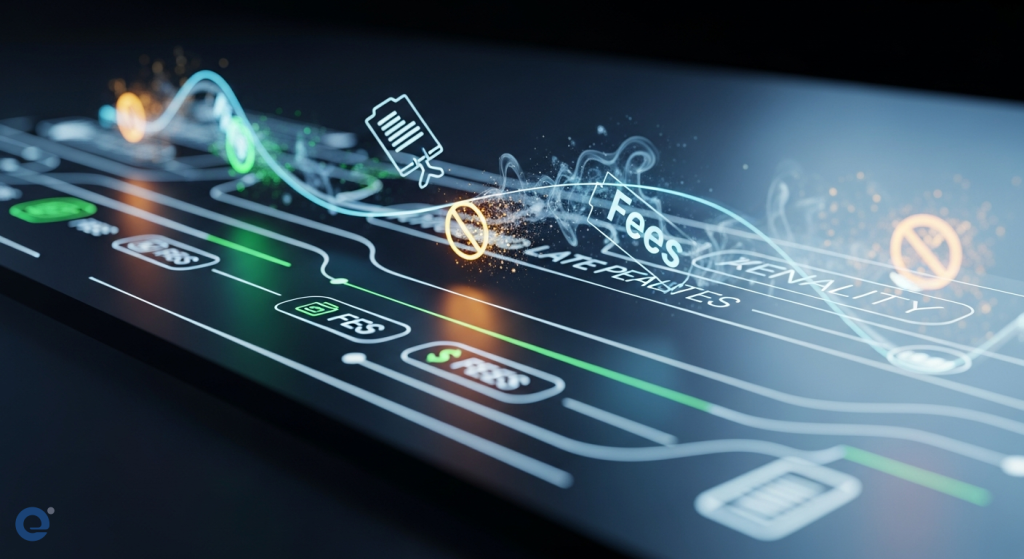
Managing bills can feel overwhelming. Busy professionals and parents often juggle countless due dates. Missing a payment can lead to late fees and interest charges. This can strain your budget. Fortunately, technology offers solutions. Automation tools can simplify bill paying. They help you avoid costly penalties. This guide explores how to use these tools effectively.
The Problem with Manual Bill Payments
Manual bill payment is time-consuming. It requires constant attention. You must track due dates for various services. These include utilities, rent, mortgages, credit cards, and subscriptions. Forgetting even one can be costly. Manual processes are also prone to errors. You might enter the wrong amount. Or, you might send a payment to the wrong place. This leads to further complications.
Late payments have significant consequences. They can damage your credit score. This makes future borrowing more expensive. Additionally, late fees and interest can add up quickly. They can significantly increase your overall expenses. For small businesses, late payments disrupt cash flow. This can impact daily operations and growth. Managing cash flow is tough enough without late payments.
Introducing Automated Bill Payment Tools
Automation is the key to efficient bill management. Various tools can help you automate your payments. These tools range from built-in bank features to specialized apps. They streamline the process. They also reduce the risk of human error.
Bank-Provided Services
Many banks offer online bill pay services. You can set up recurring payments. This ensures bills are paid on time. You can often schedule payments in advance. This provides peace of mind. Some banks also offer alerts for upcoming due dates.
Direct Pay, available on IRS.gov, is another example. It allows secure, one-time payments directly from your bank account. You can even schedule payments up to 365 days in advance. This service is free and requires no registration. The IRS encourages using electronic payment options to avoid penalties and interest.
Third-Party Bill Pay Apps
Numerous third-party apps specialize in bill management. These apps often offer more features than basic bank services. They can aggregate all your bills in one place. Many allow you to set up automatic payments for each. Some even offer budgeting tools. They help you track your spending. This can be very helpful for busy families.
These apps can send payment reminders. They can also notify you of changes in bill amounts. This is particularly useful for variable bills like utilities. Some apps integrate with your bank accounts. They can then initiate payments automatically. This truly automates the entire process.
Budgeting and Financial Management Software
Beyond simple bill pay, comprehensive financial software exists. Tools like Mint, YNAB (You Need A Budget), or Personal Capital offer robust features. They not only automate payments but also provide insights into your spending habits. They help you create and stick to a budget. This holistic approach can prevent late fees by improving overall financial health.
These platforms often link to all your financial accounts. This includes bank accounts, credit cards, and investment portfolios. They provide a clear overview of your financial situation. This visibility is crucial for effective management. You can easily see upcoming bills. You can also track your progress towards financial goals.
Key Features to Look for in Automation Tools
When choosing a bill payment automation tool, consider several key features. These will ensure the tool meets your needs.
Automatic Payments
This is the core function. The tool should allow you to set up recurring payments. It should handle payments for fixed bills like rent or loan installments. It should also manage variable bills like electricity or gas. Look for options to customize payment dates. This helps align with your pay cycle.
Payment Reminders and Alerts
Even with automation, reminders are valuable. They alert you to upcoming due dates. They also notify you if a payment fails. This proactive approach prevents issues. Some tools offer customizable alert settings. You can choose how and when you receive notifications.
Bill Aggregation
A tool that can pull all your bills into one dashboard is highly convenient. This eliminates the need to log into multiple portals. You can see all your obligations in one place. This makes tracking much simpler. It also reduces the chance of overlooking a bill.
Security Features
When dealing with financial information, security is paramount. Ensure the tool uses robust encryption. Look for multi-factor authentication. Check the provider’s reputation for data protection. Linking financial accounts requires careful consideration of security.
Budgeting and Spending Analysis
Some tools go beyond just paying bills. They offer budgeting features. They can categorize your spending. They can also provide reports on your financial habits. This insight helps you identify areas where you can save money. This, in turn, can prevent future financial shortfalls.
Setting Up Your Automated Bill Payment System
Implementing an automated system requires a few steps. Following these will ensure a smooth transition.
1. Gather All Your Bills
Collect all your current bills. Note down the due dates, amounts, and payment methods. This includes utilities, credit cards, loans, subscriptions, and any other recurring expenses. Having this information readily available is crucial.
2. Choose Your Automation Tool
Based on your needs, select the right tool. Consider your bank’s offerings. Explore third-party apps or comprehensive financial software. Read reviews. Compare features and pricing. Free tools for invoicing and reporting can be a good starting point.
3. Link Your Accounts and Add Bills
Connect your bank accounts and credit cards to the chosen tool. Then, add each bill. For recurring payments, set up the automatic payment schedule. Ensure the payment date is before the actual due date. This provides a buffer.
4. Set Up Alerts and Notifications
Configure your notification settings. Decide how you want to be alerted about upcoming payments or potential issues. This ensures you stay informed. Even automated systems benefit from oversight.
5. Review and Adjust Regularly
Automation is not a set-it-and-forget-it solution. Regularly review your automated payments. Check for any discrepancies. Ensure bill amounts are as expected. Adjust payment schedules if your income or expenses change. This ongoing management is key to long-term success.
Avoiding Late Fees with Specific Tools and Strategies
Let’s look at specific scenarios and how automation helps.
Utility Bills
Utility bills often fluctuate. Setting up automatic payments for the average amount can be risky. However, many utility providers offer budget billing. This averages your costs over the year. Alternatively, some bill pay apps can monitor your bill amount. They can alert you if it exceeds a set threshold. Then, you can approve the payment manually or adjust the auto-payment.
Credit Card Payments
Credit card payments are critical for credit health. Automating at least the minimum payment is highly recommended. This prevents late fees and negative credit reporting. For those who prefer to pay the full balance, set the auto-pay for the full statement balance. Ensure your linked bank account has sufficient funds. Using credit cards wisely can also earn rewards, but only if paid on time.
Subscription Services
Subscriptions can easily slip through the cracks. Many are small, recurring charges. Automating these payments ensures they are made. It also prevents service interruptions. However, regularly review your subscriptions. Cancel those you no longer use to save money.
Taxes
Taxes are a significant obligation. The IRS offers several electronic payment options. These include Direct Pay, Electronic Funds Withdrawal (EFW), and the Electronic Federal Tax Payment System (EFTPS). Using these electronic options helps avoid penalties and interest. You can also file for an extension using IRS Free File to avoid late filing penalties, but remember this is not an extension to pay.
The Role of Invoice Management
For freelancers and small businesses, invoice management is crucial. Late payments from clients can cause significant financial strain. Automated invoice tracking simplifies this process. It reduces administrative work. It also boosts productivity and stabilizes cash flow.
Challenges of Manual Invoice Tracking
Manual tracking often leads to lost invoices. It can also cause delays in follow-ups. This is especially true for small businesses with limited resources. Reliance on manual processes increases the risk of errors. This can jeopardize financial stability. Manual processes or lack of visibility are common obstacles.
Benefits of Automated Invoice Management
Automated systems ensure invoices are sent promptly. They schedule reminders. They consistently follow up based on account history. This reduces the chances of overdue payments. It also strengthens client relationships. Transparent communication from start to finish is key.
Common causes of payment delays include losing track of invoices. Client miscommunication is another factor. Errors in the invoicing process itself can also cause issues. Missing invoice numbers or details can confuse clients. Automated systems address these problems directly.
Conclusion: Take Control of Your Payments
Managing multiple bills and payments can be a significant challenge for busy individuals and families. However, the advent of automation tools has revolutionized how we handle financial obligations. By leveraging bank services, specialized apps, and comprehensive financial software, you can significantly reduce the risk of late fees and interest charges.
Implementing an automated bill payment system requires a proactive approach. Gather your bills, choose the right tool, set up your accounts, and regularly review your system. This will ensure your finances remain on track. Ultimately, this frees up your time and mental energy. It allows you to focus on more important aspects of your life. Take control of your payments today and enjoy a more stress-free financial future.

Frequently Asked Questions
What is the fastest way to pay my taxes electronically?
According to the IRS, Direct Pay, available at IRS.gov, is the fastest, easiest way to make a one-time payment without signing into an IRS Online Account. It’s free and allows secure payments directly from your checking or savings account. You can also schedule payments up to 365 days in advance.
Can an extension to file my taxes also extend the payment deadline?
No, an extension of time to file is not an extension of time to pay. Taxpayers must pay what they owe by the original deadline, typically April 15th, to avoid interest and penalties. Making a timely partial payment can help limit those charges.
What are the consequences of overdue invoices for businesses?
Overdue invoices can lead to cash flow hiccups, making it difficult to cover essential operational costs. They can also strain client relationships and limit growth opportunities due to a lack of capital or cash cushion.
How can I ensure my automated payments don’t exceed my budget?
Use budgeting and financial management software that categorizes spending and provides analysis. Set up alerts for when payments exceed a certain threshold. Regularly review your bills and subscriptions to cancel services you no longer need.
Is it safe to link my bank accounts to third-party bill pay apps?
Reputable bill pay apps use strong security measures like encryption and multi-factor authentication. However, it’s crucial to choose well-known providers with a good track record for data protection and to be aware of potential risks associated with linking multiple accounts.
