

Starting a budget can feel overwhelming. Many apps exist. Some are complex. Others are simple. This article helps you find the easiest one. It’s for beginners. You don’t need finance knowledge. We will look at user-friendliness. We will also consider features. Privacy is important too. Let’s find your perfect budgeting app.
Why Budgeting Apps Matter for Beginners
Budgeting is key to financial health. It helps you track money. You can save more. You can spend smarter. For beginners, an app makes it easy. It removes the guesswork. You see your spending clearly. This is empowering. It helps you reach goals. Think of a vacation. Or a new car. A good app guides you.
Many people struggle with budgets. Traditional methods can be tough. Spreadsheets are complex. Pen and paper can be slow. Apps offer a modern solution. They automate tasks. They provide insights. Therefore, they are very helpful.
What Makes a Budgeting App User-Friendly?
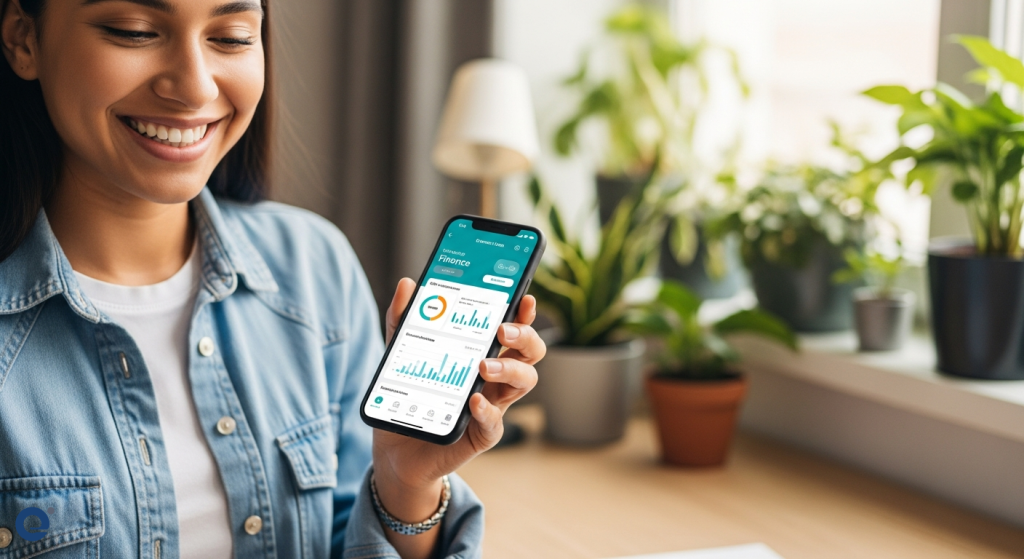
User-friendliness is crucial. Especially for beginners. What does this mean? It means an app is easy to use. The design is clean. Navigation is intuitive. You don’t need a manual. Important features are easy to find. Data entry should be simple. Linking bank accounts should be smooth. Visuals should be clear. Graphs and charts help. They show your progress. They make data understandable.
An app should not be cluttered. Too many options are confusing. Therefore, simplicity is key. It should feel natural. Like a helpful assistant. Not a complicated tool. For example, categorizing expenses should be automatic. Or very simple to do. This saves time. It reduces errors.
Top Picks for User-Friendly Budgeting Apps
Several apps stand out for beginners. They balance features with ease of use. Let’s explore them.
Simplifi by Quicken
Simplifi is often recommended. It’s for budgeting beginners. Quicken is a well-known name. They have experience in finance software. Simplifi is ad-free. This is a big plus. It means no distractions. The quality is still high. It offers a simplified approach. Budgeting feels less daunting. It helps you manage your money. It’s affordable too. This makes it accessible.
Jen from The Frugal Friends Podcast suggests Simplifi. She mentions it’s a go-to for beginners. This is because of its straightforward nature. It focuses on core budgeting needs. Therefore, it avoids overwhelming new users.
Monarch Money
Monarch is another strong contender. It excels in customization. It offers a user-friendly interface. This is great for beginners. You can tailor it to your needs. Categorization is a strong point. It takes a top-notch approach. You can organize your spending well. This helps you understand habits. It’s a good way to start budgeting.
The app aims for clarity. It helps users see where money goes. This is essential for beginners. It provides a clear overview. You can set financial goals. Monarch helps you track them. It’s a comprehensive tool. Yet, it remains easy to navigate.
You Need A Budget (YNAB)
YNAB has a unique philosophy. It uses zero-based budgeting. This means every dollar gets a job. It’s very deliberate. You assign money to categories. This requires more active involvement. However, many find it very effective. It promotes intentional spending. It helps you control your money.
Jill from The Frugal Friends Podcast recommends YNAB. She highlights its zero-based budgeting. This method can be powerful. It forces you to be aware. For some beginners, this might seem intense. However, it can lead to significant financial control. It’s a different approach. But it’s very user-friendly once you grasp the concept.
Empower Personal Dashboard™ (Formerly Personal Capital)
Empower is a great option. It’s free to use. It focuses more on investment tracking. However, it’s excellent for collecting transactions. You can export your data. This works for people who don’t budget strictly. Jen uses it for this purpose. She doesn’t allocate specific amounts. Instead, she tracks habits. She monitors real-time spending. This is a valid budgeting approach.
While it’s not solely a budgeting app, its transaction aggregation is top-tier. It offers a holistic view of your finances. This can be very helpful for beginners. They can see their entire financial picture. This includes investments and spending. It provides a good starting point.
Considering Data Privacy: A Crucial Factor
Budgeting apps collect sensitive data. Your financial information is personal. Therefore, privacy is paramount. Some apps share your data. This is often how they make money. Incogni research highlighted this. They found many apps share user data. About 60% of 20 popular budgeting apps share your data.
NerdWallet is mentioned. It shares many data points. This includes your name and purchase history. Other apps like Everydollar and Money Lover also share data. This is a serious concern. You need to know where your data goes. Apps need to monetize. They do this through you or ads. Many do both.
When choosing an app, check its privacy policy. Look for transparency. Avoid apps that are vague. Prioritize your data security. For example, if an app seems too good to be true, investigate its data practices. You can learn more about protecting your finances with digital tools in Guard Your Wallet: Digital Tools for Financial Safety.
Features to Look For in a Beginner Budgeting App
Beyond user-friendliness, specific features help. They make budgeting effective. Let’s outline them.
Automatic Transaction Categorization
This is a huge time-saver. The app connects to your bank. It pulls in transactions. Then, it tries to categorize them. For example, “Starbucks” becomes “Coffee.” Good apps learn your habits. They improve over time. This makes tracking effortless. It’s essential for beginners.
Goal Setting and Tracking
Budgeting is about goals. Saving for a down payment. Paying off debt. An app should help. You set a goal. You assign money to it. The app tracks your progress. Seeing progress is motivating. It keeps you on track. This feature is vital for success.
Bill Payment Reminders
Late fees are costly. They hurt your budget. Many apps offer reminders. They alert you before bills are due. This prevents missed payments. It saves you money. It reduces financial stress. This is a practical feature.
Customizable Budget Categories
While simplicity is good, some customization is needed. You might have unique spending. You should be able to add categories. Or edit existing ones. This makes the budget personal. It reflects your life. Monarch excels here. It offers top-notch customization.
Spending Insights and Reports
An app should offer more than just tracking. It should provide insights. Where do you spend most? Are you overspending? Reports and graphs help. They visualize your data. This makes it easier to understand. You can spot trends. You can make informed decisions. This is crucial for improvement.
Apps to Approach with Caution (or Avoid)
Not all budgeting apps are created equal. Some have drawbacks. Especially for beginners.
Apps with Aggressive Data Sharing
As discussed, privacy is key. Apps that share extensive data are risky. You might not see the benefit. But your data is out there. Always research their policies. Source 1 mentions this concern. It highlights apps like NerdWallet. They share many data points.
Overly Complex or Cluttered Interfaces
Some apps are designed for power users. They have many features. This can be overwhelming for beginners. If an app feels confusing, it’s not the right fit. You won’t use it consistently. Look for clean, intuitive designs. Simplifi is a good example of simplicity.
Apps with Poor Customer Support
When you’re starting, you might have questions. Good customer support is important. If an app is hard to get help with, it’s frustrating. Check reviews for support quality. This is especially true if you encounter issues with linking accounts.
Alternatives to Apps: The Traditional Approach
While apps are popular, traditional methods still work. Some people prefer them. They offer a different kind of control.
Spreadsheets
Spreadsheets like Excel or Google Sheets are powerful. You can customize them fully. You have complete control. However, they require manual input. This can be time-consuming. It’s also prone to errors. For beginners, this is often too much work.
Pen and Paper
This is the most basic method. You write down every transaction. You track spending manually. It’s very deliberate. It forces awareness. Jill uses this method. She combines it with spreadsheets. However, it’s not practical for everyone. It requires discipline and time.
For many, apps bridge the gap. They offer automation. They provide convenience. They still offer control. They are a good middle ground.
Making the Choice: Your First Budgeting App
Choosing the right app is personal. Consider these steps:
- Define Your Goals: What do you want to achieve? Save money? Pay debt?
- Assess Your Tech Comfort: How comfortable are you with apps?
- Prioritize Features: What’s most important? Simplicity? Customization? Privacy?
- Try Free Trials: Most apps offer trials. Test them out. See what feels right.
- Read Reviews: See what other users say. Especially beginners.
Remember, the best app is the one you use. Consistency is key. Don’t get stuck in analysis paralysis. Pick one and start. You can always switch later.
Frequently Asked Questions (FAQ)
Is Mint really gone? What are good alternatives?
Yes, Mint is no longer available. Many users are looking for alternatives. Simplifi by Quicken and Monarch Money are excellent choices. They offer user-friendly interfaces. They also provide robust features. You Need A Budget (YNAB) is another strong contender for those who like its zero-based approach.
Are free budgeting apps safe?
Free budgeting apps can be safe. However, you must be cautious. Many of them monetize by selling user data. Always check their privacy policies. Prioritize apps that are transparent about data usage. Empower Personal Dashboard™ is a free option that focuses more on investment tracking but is generally well-regarded.
How do I start categorizing my spending?
Start by linking your bank accounts. Most apps will automatically categorize transactions. Review these categories. Adjust them as needed. For example, if a “Groceries” transaction was for a pharmacy, change it. Over time, the app learns your patterns. This makes categorization easier.
What if I overspend in a category?
It happens! Don’t get discouraged. Look at your reports. See where the overspend occurred. Then, decide how to adjust. You might need to move money from another category. Or, you might need to cut back next month. The goal is awareness and adjustment. Budgeting is a learning process.
Can I use a budgeting app for saving goals?
Absolutely. Most modern budgeting apps have dedicated features for goal setting. You can create goals for specific items like a vacation, a new car, or an emergency fund. The app then helps you track your progress towards these goals. This can be very motivating for beginners. For instance, you can explore 5 FinTech Apps That Work for You to automate your savings.
In conclusion, finding the most user-friendly budgeting app for beginners is about balancing simplicity with essential features. Apps like Simplifi and Monarch Money offer intuitive interfaces. They help you understand your finances without overwhelming you. Remember to consider data privacy. Choose an app that aligns with your comfort level and financial goals. Happy budgeting!
