
Mobile AI: Boost Speed with Lean Token Processing
Published on Tháng 1 25, 2026 by Admin
Why Energy Efficiency Matters for Mobile AI
Energy consumption is a core user experience factor. When an app drains the battery, users notice. This can lead to negative reviews and uninstalls. Therefore, optimizing for energy is not just a technical task; it’s a business necessity.A power-hungry app causes several problems. Firstly, it shortens the time a user can interact with their device. Secondly, heavy processing generates heat. This can make the phone uncomfortable to hold. In extreme cases, the operating system may throttle the app’s performance to cool down, leading to a sluggish experience.
The User Experience Impact
Users expect mobile apps to be fast and reliable. They also expect their phone’s battery to last a full day. An app that fails on this front will struggle to retain its audience. Consequently, a focus on energy efficiency directly translates to better user satisfaction and retention.
Device Health and Performance
Constant high energy use can also affect the long-term health of the device’s battery. Moreover, performance throttling creates an unpredictable and frustrating user experience. An efficient app, on the other hand, runs smoothly without overheating the device. This ensures consistent performance and protects the hardware.
Understanding Tokens and Their Energy Cost
To optimize AI, you must first understand tokens. In simple terms, tokens are the basic units of data that AI models process. For language models, a token might be a word or part of a word. For image models, it could be a patch of pixels. The model processes these tokens to generate a response or perform a task.Each token requires computational resources. The model must read the token, perform complex mathematical operations, and access memory. This entire process consumes energy. Therefore, the more tokens your model processes, the more power it uses.
The High Price of Processing Power
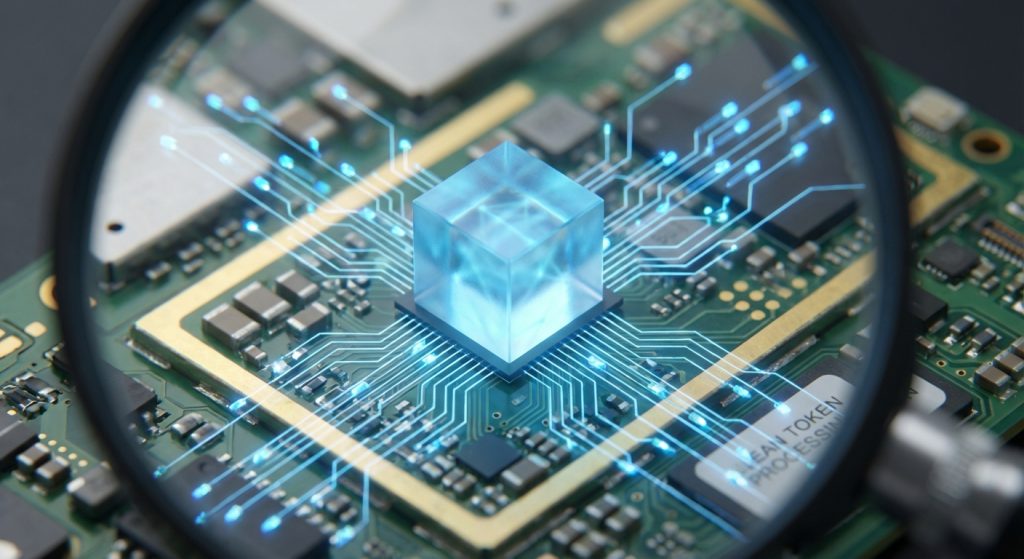
AI models, especially large ones, rely on the device’s CPU and GPU. These components are powerful but also very energy-intensive. Every calculation performed on a token adds to the energy bill. As a result, reducing the number of calculations is a primary goal for efficiency.
Memory Access: The Silent Battery Killer
Processing is only part of the story. Moving data between the device’s memory and the processor is another major source of energy drain. Large models with many parameters require frequent memory access. This constant back-and-forth communication consumes a surprising amount of power. Optimizing memory patterns is therefore just as important as optimizing computations.
Core Strategies for Energy-Efficient Token Processing
Fortunately, developers have several powerful techniques to reduce the energy footprint of mobile AI. These strategies focus on making models smaller, smarter, and more efficient. By implementing them, you can deliver a great AI experience without killing the battery.
Model Quantization: Doing More with Less
Model quantization is a highly effective technique. It involves converting a model’s parameters from larger data types (like 32-bit floating points) to smaller ones (like 8-bit integers). This simple change has a massive impact.Firstly, smaller data types mean the model takes up less space in memory. Secondly, integer calculations are much faster and more energy-efficient for most mobile processors than floating-point ones. The result is a model that runs faster and uses significantly less power. For a deeper look into this topic, you can explore our guide to reducing GPU memory via token quantization.
Token Pruning: Trimming the Fat
Not all tokens are equally important. Token pruning is a method that identifies and removes less relevant tokens from the input. For instance, in a sentence, some words contribute more to the meaning than others. By pruning the less important ones, the model has less data to process.This directly reduces the number of computations needed. As a result, the model can produce an output faster while using less energy. This technique is especially useful for real-time applications where latency is critical. You can learn more about smart token pruning for your generative music app in our detailed guide.
Knowledge Distillation: Smaller Models, Smarter Results
Knowledge distillation is a clever training process. It involves using a large, powerful “teacher” model to train a much smaller “student” model. The student model learns to mimic the teacher’s outputs, capturing its knowledge in a more compact form.This allows you to deploy a smaller, faster model on mobile devices. The student model achieves comparable performance to the teacher but with a fraction of the computational and energy cost. It’s an excellent way to shrink powerful AI for on-device use.
Hardware Acceleration: Using the Right Tools
Modern smartphones often include specialized hardware for AI tasks. These are known as Neural Processing Units (NPUs) or AI accelerators. These chips are designed specifically to run neural network operations with incredible efficiency.By leveraging these NPUs through frameworks like Core ML on iOS or the NNAPI on Android, you can offload AI workloads from the main CPU or GPU. This drastically reduces power consumption. It also frees up the main processors for other app tasks, improving overall responsiveness.
Practical Implementation in Your App
Applying these strategies requires the right tools and a clear process. Choosing the correct framework and consistently monitoring performance are key steps to success. This ensures your optimizations have the intended effect.
Choosing the Right On-Device AI Framework
Several frameworks are available to help you deploy AI models on mobile. TensorFlow Lite and PyTorch Mobile are popular cross-platform choices. They offer tools for quantization and support for hardware acceleration.For platform-specific development, Apple’s Core ML and Google’s ML Kit provide deep integration with the operating system. These frameworks make it easy to leverage NPUs and other on-device capabilities. Choosing the right one depends on your app’s needs and your development workflow.
Profiling and Monitoring Energy Use
You cannot optimize what you cannot measure. Both Android Studio and Apple’s Xcode provide powerful profiling tools. The Energy Profiler, for example, allows you to see exactly how much power your app is using in real-time.Use these tools to identify which parts of your AI workflow are most expensive. Test your optimizations and measure the impact. This data-driven approach ensures you are making meaningful improvements to your app’s energy efficiency.
The Future of Green Mobile AI
The field of efficient AI is constantly evolving. Researchers are developing new model architectures and optimization techniques that promise even greater performance with less power. As mobile hardware continues to advance, we can expect on-device AI to become more powerful and sustainable. Staying informed about these trends will give you a competitive edge.In conclusion, building energy-efficient mobile AI is crucial for creating a positive user experience. By using techniques like quantization, pruning, and hardware acceleration, you can deliver amazing AI features that respect your users’ battery life.
Frequently Asked Questions (FAQ)
What is the biggest cause of battery drain in mobile AI apps?
The biggest cause is typically the sheer volume of computations performed by the AI model on the CPU or GPU. In addition, frequent access to device memory to load model weights and data contributes significantly to power consumption.
Is model quantization difficult to implement?
No, it has become much easier. Modern frameworks like TensorFlow Lite provide tools that can automate much of the quantization process. Often, you can apply post-training quantization with just a few lines of code.
Does a smaller model always mean lower quality?
Not necessarily. Techniques like knowledge distillation and fine-tuning allow smaller models to achieve performance very close to their larger counterparts. While there might be a slight trade-off, it is often unnoticeable to the end-user, especially for specific tasks.
How can I test my app’s energy impact without a physical device?
While physical devices are best for final testing, emulators in Android Studio and the iOS Simulator in Xcode offer preliminary energy profiling. However, these are estimates. Always validate performance on a range of real, physical devices for the most accurate data.
“`
