
Context Windows: Your New Visual Storytelling Tool
Published on Tháng 1 24, 2026 by Admin
What Exactly Is a Context Window?
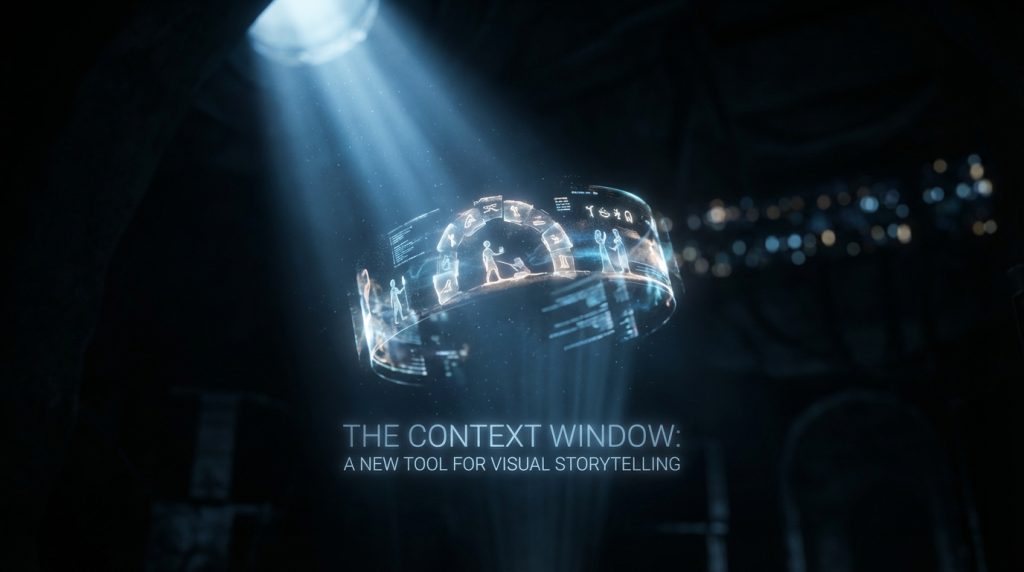
Think of a context window as an AI’s short-term memory. It is the finite amount of information the model can “see” at any given moment. This includes your prompts, previous outputs, and any other data you provide in a single session. Everything inside this window informs the AI’s next creation.However, anything outside this window is forgotten. The AI has no long-term memory of past projects or conversations. Therefore, the context window is the entire universe for the task at hand. Its size is measured in “tokens,” which can be words, parts of words, or even pixels.
Why This Matters for Visuals
For visual storytelling, this concept is a game-changer. A well-managed context window ensures continuity. For instance, it can remember a character’s blue jacket, a specific lighting style, or the architectural details of a fantasy city. Without it, each image generation is a fresh roll of the dice.This control allows you to move from creating single, disconnected images to building coherent visual sequences. As a result, you can craft storyboards, develop character studies, and produce campaign assets that feel unified and intentional.
The Creative Director’s Advantage: Using Context
Mastering the context window gives you a significant creative advantage. It bridges the gap between your vision and the AI’s output. In addition, it provides a new level of directorial control over the generative process.
Achieving Unbreakable Visual Consistency
Consistency is the bedrock of strong branding and storytelling. A context window is your primary tool for enforcing it. By loading key visual information at the start, you set the rules for the entire session.This can include:
- Character Sheets: Descriptions of a character’s appearance, clothing, and expressions.
- Style Guides: Details on color palettes, line weight, and overall aesthetic (e.g., “cinematic, 35mm film grain, anamorphic lens flare”).
- Brand DNA: Core brand colors, logo elements, and typography styles that must remain consistent.
Therefore, the AI constantly references these rules, ensuring every new image aligns with the established look and feel.

Building Coherent Narrative Arcs
Visual storytelling is more than just consistent images; it’s about progression. The context window allows you to build a scene-by-scene narrative. You can guide the AI through a story by referencing what just happened.For example, a prompt sequence might look like this:
- Initial prompt sets the scene: “A detective in a rain-soaked trench coat stands under a flickering neon sign.”
- The next prompt builds on it: “Now, show the same detective looking down at a mysterious clue on the wet pavement.”
- A final prompt introduces change: “Suddenly, a figure emerges from the shadows behind him, causing him to turn in alarm.”
Because the AI remembers the “detective in a trench coat” and the “rain-soaked” setting, the sequence feels like a continuous story, not random snapshots. This technique is essential for creating everything from comic book panels to pre-visualization for films. For a deeper dive, consider exploring how to craft big stories with small tokens.
Practical Strategies for Context Window Optimization
The context window has a limited size. Therefore, you must be strategic about what information you include. Effective optimization is about maximizing relevance and minimizing noise.
Start with a Crystal-Clear Brief
Treat your initial prompt like the ultimate creative brief. Front-load the most critical information. This gives the AI a strong foundation to build upon. Be specific and use descriptive language.
Instead of “a futuristic city,” try “A cyberpunk city at night, with towering holographic ads, flying vehicles, and rain reflecting the neon glow on the streets.”
This detailed instruction fills the context window with useful concepts that guide all subsequent generations.
Use Keywords as Narrative Anchors
Use consistent keywords to anchor key elements in the AI’s memory. If your character is “Explorer Anya,” always refer to her by that name. If the mood is “serene and ethereal,” repeat those terms when you need to reinforce the atmosphere.This acts as a signal to the AI, telling it which pieces of the context are most important. It helps prevent the model from drifting away from your core vision as the conversation progresses.
Master the Art of Pruning
As you add new prompts, the context window fills up. Older information gets pushed out. Consequently, you must actively “prune” or remove irrelevant details to make room for what matters now. Some advanced workflows even involve programmatic token pruning to maintain focus.For example, if the story moves from a forest to a cave, you can tell the AI to “forget the forest” and focus on the “dark, cavernous space with glowing crystals.” This clears out unnecessary tokens and sharpens the AI’s focus on the new environment.
Avoiding Common Context Window Pitfalls
While powerful, context windows can also lead to frustration if misused. Understanding common mistakes can save you significant time and effort.
The Problem of Context Overload
Dumping too much information into the window can confuse the AI. It might struggle to identify which details are most important. As a result, the output can become a messy blend of all your ideas instead of a focused image.Be concise. Prioritize the elements that are absolutely essential for the specific image you are trying to create at that moment.
The Danger of Vague Instructions
The AI is not a mind reader. Ambiguous or contradictory prompts will lead to poor results. If you ask for a “happy but sad” mood, the AI will likely produce something confusing.Always be clear and direct in your instructions. If an output isn’t right, review your prompt and see where you can provide more clarity. Precision is your best tool for directing the AI effectively.
Frequently Asked Questions (FAQ)
How does context window size affect my creative work?
A larger context window allows the AI to “remember” more information for a longer period. This is incredibly useful for complex narratives with many characters or detailed settings. However, larger windows can also be more expensive to use and may sometimes be slower. You must balance the need for memory with practical constraints.
Do all AI models handle context windows the same way?
No, they do not. Different models have different context window sizes and capabilities. Some are better at recalling visual details, while others excel at tracking conversational flow. It is important to experiment with various models to find the one that best suits your specific visual storytelling needs.
Can I use a context window for video or animation?
Yes, absolutely. The principles are the same. By feeding the AI a frame-by-frame description, you can ensure character and environmental consistency throughout an entire animated sequence. This makes context windows an invaluable tool for storyboarding and creating motion graphics with generative AI.
Conclusion: The Context Window as Your Canvas
Ultimately, the context window is more than a technical feature. It is a new creative canvas for directors. By mastering how to fill, manage, and prune it, you can elevate your use of AI from simple image generation to sophisticated visual storytelling.Start experimenting with these techniques. Treat the context window with the same intentionality you bring to a storyboard or a script. In doing so, you will unlock a new level of control and consistency, allowing you to build richer worlds and tell more compelling stories than ever before.
