
Free AI Image Models: A Blogger’s 2024 Comparison
Published on Tháng 1 19, 2026 by Admin

Why AI Images are a Game-Changer for Bloggers
Artificial intelligence has transformed content creation. For bloggers, AI-generated images offer several powerful advantages. Firstly, they eliminate the high costs associated with stock photography subscriptions or hiring a graphic designer. You can generate countless images for free.In addition, AI allows for unparalleled creativity. You are no longer limited to what already exists. Instead, you can create the exact image you envision for your blog post, no matter how specific. This results in truly unique visuals that make your content stand out. Moreover, the speed is incredible. You can produce a custom featured image in minutes, not hours.
Understanding “Free” in AI Image Generation
The term “free” can mean different things in the world of AI. It’s important to understand the models before you commit. Most platforms use a credit-based system. For example, you might get a set number of free images you can create each day or month.Another model is truly free and unlimited, often supported by a larger company. Microsoft’s Copilot is a prime example of this approach. Finally, there’s the open-source route. Models like Stable Diffusion are free to use if you have the right computer hardware. This gives you complete freedom but requires technical skill. Therefore, understanding these differences is key to finding the right fit.
Top Free AI Image Models: A Head-to-Head Comparison
Now, let’s dive into the most popular and effective free AI image models available today. We will compare them based on what matters most to bloggers: ease of use, quality, and limitations. Each tool offers a different experience, so your choice will depend on your specific workflow and creative goals.
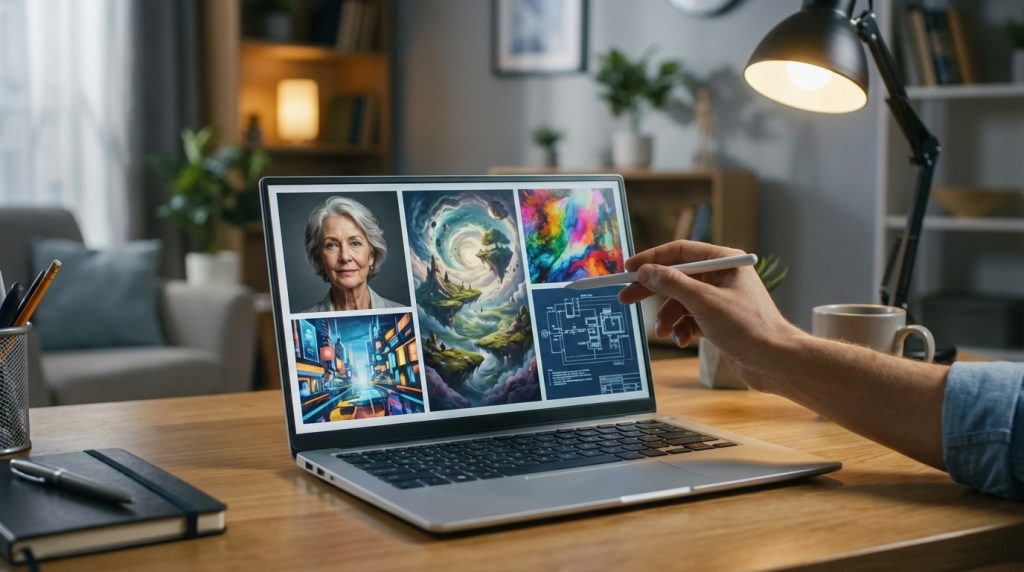
Microsoft Copilot (DALL-E 3): The Best for Simplicity
Microsoft has integrated OpenAI’s powerful DALL-E 3 model into its Copilot tool (formerly Bing Image Creator). This is arguably the best starting point for any blogger. The biggest advantage is that it’s completely free and unlimited.The quality is exceptional. DALL-E 3 is fantastic at understanding complex text prompts and can even render text within images accurately. You simply type what you want in plain English, and it delivers. However, there are some downsides. Customization options are very limited. Furthermore, generations can sometimes be slow during peak hours, and Microsoft’s content filters are quite strict.
Leonardo.Ai: The Creative Powerhouse
Leonardo.Ai is a feature-rich platform built primarily on Stable Diffusion models. It gives users a daily allowance of free tokens. These tokens are used to generate images. Consequently, your daily output is limited, but the tokens reset every 24 hours.What makes Leonardo.Ai special is its suite of creative tools. It offers numerous fine-tuned models for specific styles, like photorealism, fantasy art, or pixel art. It also has features like Alchemy for upscaling and prompt enhancement. On the other hand, the sheer number of options can be overwhelming for beginners. The best features are also locked behind paid plans.
Playground AI: The Versatile Contender
Playground AI is another excellent platform that offers a very generous free tier. You can create up to 500 images per day without paying anything, which is more than enough for most bloggers. The interface is clean and user-friendly, striking a good balance between simplicity and control.The platform uses its own models as well as Stable Diffusion, giving you a range of styles. A key feature is the ability to edit and expand images (outpainting) directly within the tool. However, a critical point for bloggers is commercial use. You must check their latest terms, as commercial rights for free-tier images can sometimes require a subscription.
Canva Magic Media: The Blogger’s Best Friend?
Millions of bloggers already use Canva for their graphics. For this reason, the integrated “Magic Media” text-to-image tool is incredibly convenient. It’s powered by Stable Diffusion and designed for maximum ease of use. You can create an image and immediately add it to your blog graphic or social media template.The free plan in Canva typically includes a set number of lifetime or monthly credits for Magic Media. This is less generous than Leonardo or Playground. In addition, the customization options are very basic compared to dedicated AI art platforms. It’s perfect for quick, simple visuals but may not satisfy those wanting more creative control.
Stable Diffusion (Self-Hosted): The Ultimate Freedom
For the tech-savvy blogger, running Stable Diffusion on your own computer is the ultimate “free” option. You need a modern PC with a powerful graphics card (GPU). Once set up, you have total freedom. There are no credits, no censorship, and no limits on how many images you can create.Moreover, a massive online community creates thousands of custom models and control tools. This allows you to generate virtually any style imaginable. The downside, however, is significant. It has a very steep learning curve. You’ll need to learn about prompts, models, and settings. For those interested in the cost benefits of open-source models like Stable Diffusion, the long-term value can be immense despite the initial setup.
Key Comparison Points for Bloggers
When choosing a tool, you need to weigh several factors. What works for one blogger might not work for another. Below, we break down the most important considerations.
Image Quality & Prompt Following
For pure prompt adherence and generating coherent, logical images from complex sentences, DALL-E 3 (via Copilot) is currently the leader. It excels at creating exactly what you describe. Leonardo.Ai and Playground AI, using advanced Stable Diffusion models, can produce more artistic and sometimes more photorealistic results, but may require more prompt experimentation.
Ease of Use for Beginners
Canva’s Magic Media is the undisputed winner here. Because it’s inside a familiar interface, there’s almost no learning curve. Microsoft Copilot is a close second, as it’s as simple as typing in a search bar. Leonardo.Ai and Playground AI introduce more complex settings, while self-hosting Stable Diffusion is strictly for advanced users.
Free Tier Limits & Generosity
Microsoft Copilot is the most generous, offering unlimited generations. Playground AI follows with a high daily limit of 500 images. Leonardo.Ai’s daily token system is also quite fair. Canva is the most restrictive with its limited credit pool. Therefore, if you need a high volume of images, Copilot or Playground are your best bets.
Commercial Use Rights: A Critical Note
This is the most important point for any blogger. You must be able to use the images on your monetized blog.
- Microsoft Copilot (DALL-E 3): Generally allows commercial use of the images you create, but you must follow their usage policy.
- Leonardo.Ai: The free tier does not allow for commercial use; you must subscribe to a paid plan.
- Playground AI: Their policy has changed over time. Previously, it required a paid plan for commercial use. Always check their current terms of service.
- Canva Magic Media: Images created can be used commercially according to Canva’s content license.
- Self-Hosted Stable Diffusion: You generally have full commercial rights, but you must check the license of any specific custom model you download.
Ultimately, the choice between models often comes down to budget and features. Understanding the cost and quality differences between DALL-E 3 and Stable Diffusion XL is crucial for making a long-term decision.
Frequently Asked Questions (FAQ)
Which free AI image generator is best for beginners?
For absolute beginners, Microsoft Copilot (using DALL-E 3) or Canva Magic Media are the best choices. Both have extremely simple interfaces that require no technical knowledge. You just type a description and get an image.
Can I use images from free AI models on my blog commercially?
This is critical. You MUST check the terms of service for each platform. Microsoft Copilot and Canva generally permit commercial use. However, platforms like Leonardo.Ai explicitly require a paid plan for commercial rights. Always verify the latest policy before publishing.
Do free AI image generators add watermarks?
Most of the top-tier free generators do not add visible watermarks to your images. However, some may add a small, subtle logo or have policies that change. It’s always a good idea to generate a test image to check before committing to a platform.
What is the difference between DALL-E 3 and Stable Diffusion?
The main difference is their approach. DALL-E 3 is a closed, proprietary model from OpenAI known for its excellent ability to follow text prompts. Stable Diffusion is an open-source model, meaning anyone can use it and modify it. This has led to a huge ecosystem of custom models and tools, offering more creative flexibility but often requiring more user skill.
Conclusion: Making Your Choice
Choosing the right free AI image model depends entirely on your needs as a blogger. There is no single “best” option, only the best option for you.If you value simplicity, speed, and the ability to follow complex instructions, start with Microsoft Copilot. It’s free, powerful, and allows commercial use. For those already embedded in the Canva ecosystem, Canva Magic Media is a convenient, though limited, choice.On the other hand, if you want more creative control and access to a community of artists and custom styles, Playground AI offers a great starting point with its generous free plan. Just be sure to verify its commercial use policy. Finally, for the ultimate power user who isn’t afraid of a technical challenge, self-hosting Stable Diffusion provides unparalleled freedom. As a result, by weighing these factors, you can elevate your blog’s visual appeal without breaking the bank.
