
AI Image Pipelines: Your Guide to Automated Scale
Published on Tháng 1 19, 2026 by Admin
Why Manual Image Creation Fails at Scale
Manual image creation involves designers, photographers, and lengthy review cycles. This process works for a few images. However, it breaks down completely when you need hundreds or thousands. The problems become immediately obvious.Firstly, the cost is a major issue. Hiring creative talent is expensive. Each image requires hours of work. As a result, scaling your content production leads to a massive increase in headcount and budget. This model is simply not sustainable for high-growth companies.Secondly, speed becomes a critical bottleneck. A designer can only work so fast. Therefore, urgent requests can take days or weeks to fulfill. This delay slows down marketing campaigns and product launches. Your company loses its competitive edge because of slow creative workflows.Finally, maintaining consistency is nearly impossible. Different designers have different styles. Even the same designer can produce varied results over time. This leads to a fragmented brand identity across your assets. Automation is the only way to ensure every image adheres to specific guidelines.
What is an Automated AI Image Pipeline?
An automated AI image pipeline is a system that programmatically generates, processes, and delivers images. It uses artificial intelligence models to create visuals from text prompts or data inputs. Think of it as a factory assembly line for images. It removes the manual labor from the creation process.The pipeline is typically composed of several distinct stages. Each stage performs a specific task, handing its output to the next. This modular approach makes the system flexible and scalable. You can easily swap components or add new steps as your needs evolve.
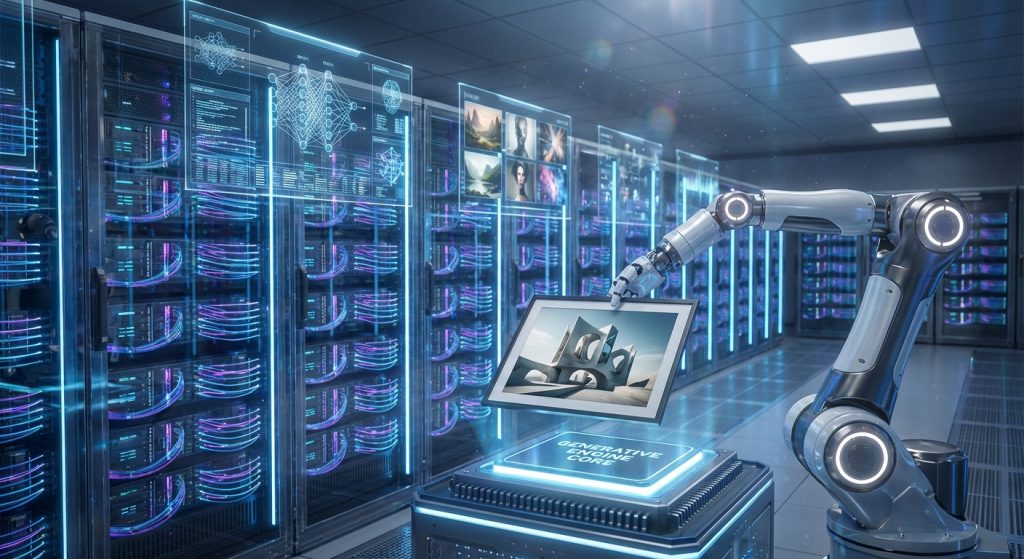
Stage 1: The Input Layer
Everything begins with the input. This layer gathers the data needed to generate an image. For example, you might use product names from a database. Or you could use keywords from a marketing brief. The goal is to create structured inputs that the AI can understand.This stage often involves an API that accepts requests. A request might contain a base prompt, style parameters, and other variables. In addition, you can use templates to build complex prompts automatically. This ensures consistency while allowing for variation.
Stage 2: The AI Processing Core
This is the heart of the pipeline. The input data is fed into one or more AI image generation models. These models interpret the prompt and create a new visual. There are many models to choose from, each with its own strengths.For instance, popular models like Stable Diffusion offer great flexibility. Understanding the open-source Stable Diffusion cost benefits is crucial for startups. Other models might excel at photorealism or specific artistic styles. Your choice of model depends entirely on your project’s requirements and budget.
Stage 3: Post-Processing and Delivery
An image rarely comes out of the AI model in its final form. Therefore, a post-processing stage is essential. This stage refines the generated image to meet your exact specifications. Common post-processing tasks include:
- Upscaling: Increasing the image resolution for high-quality use.
- Watermarking: Adding a logo or brand mark for protection.
- Metadata Tagging: Embedding keywords and information for better organization.
- Format Conversion: Changing the file type (e.g., from PNG to WebP) for web optimization.
After processing, the final image is delivered. This could mean uploading it to a cloud storage bucket, a Digital Asset Management (DAM) system, or a Content Delivery Network (CDN).
Key Components of a Scalable Pipeline
To build a robust pipeline, you need the right architectural components. These pieces work together to handle requests efficiently and reliably. A well-designed system can process thousands of images per hour without manual intervention.Here are the essential components for a scalable pipeline:
- API Gateway: This is the front door to your system. It receives incoming requests, authenticates them, and routes them to the correct service.
- AI Model Servers: These are the compute instances running the AI models. They pull jobs from the queue, generate images, and pass them on.
- Cloud Storage: A scalable storage solution (like Amazon S3 or Google Cloud Storage) is needed to hold generated images and assets.
- Database: A database tracks the status of each job, stores metadata, and logs results for analysis.
– Message Queue: A queue (like RabbitMQ or AWS SQS) decouples the request intake from the processing. It holds jobs until a worker is ready, which prevents system overloads.
Managing Costs in Your AI Image Pipeline
While automation saves on labor, compute costs can add up quickly. AI models, especially large ones, require powerful GPUs. As an engineering lead, you must manage these costs effectively. Therefore, cost optimization should be a primary focus from day one.Firstly, choose the right compute instances. Cloud providers offer various options. For example, using spot instances can reduce your compute costs by up to 90%. However, they can be interrupted, so your pipeline must be designed to handle such events gracefully.Secondly, optimize your model usage. Don’t use a massive, expensive model when a smaller one will do. Batching requests together can also improve GPU utilization. Furthermore, you should master machine learning cost forecasting to keep budgets in check. This helps you predict expenses and avoid surprises.Finally, implement smart caching. If two requests are identical, you shouldn’t generate the same image twice. A caching layer can store previous results. As a result, you serve the cached image instantly, saving both time and money.
Building Your First Pipeline: A Simple Roadmap
Getting started might seem daunting, but you can begin with a simple version. A proof-of-concept will help you demonstrate value and learn key lessons. Follow this basic roadmap to build your initial pipeline.
- Define Clear Goals: First, determine what you want to achieve. Are you generating product images, social media posts, or blog illustrations? Your goal will define the entire pipeline’s structure.
- Choose Your AI Model: Start with an accessible API-based model or a popular open-source option. This allows you to experiment without a huge upfront investment in infrastructure.
- Script the Basic Flow: Write a simple script that takes a prompt, calls the AI model, and saves the output. You can run this on your local machine initially. This script becomes the core logic of your pipeline.
- Implement with Cloud Services: Move your script to the cloud. Use a serverless function (like AWS Lambda) for the script, an S3 bucket for storage, and an SQS queue to manage jobs. This creates a simple, scalable foundation.
- Test, Monitor, and Iterate: Run tests with various inputs. Monitor the cost, speed, and quality of the output. Use this data to refine your prompts, optimize your code, and improve the overall process.
Frequently Asked Questions
How do I ensure consistent image quality and style?
Consistency comes from well-crafted prompts and fixed parameters. Use detailed prompt templates that specify the subject, style, color palette, and composition. Moreover, lock the “seed” value in the AI model for certain tasks to produce nearly identical images from the same prompt.
What are the main security concerns with these pipelines?
The primary concerns are data security and API key management. Ensure all API keys and credentials are stored securely using a service like AWS Secrets Manager. In addition, if you are processing sensitive input data, you must ensure it is encrypted both in transit and at rest. Access control to your storage buckets is also critical.
Can I use open-source models in a commercial pipeline?
Yes, absolutely. Many open-source models have licenses that permit commercial use. For example, models like Stable Diffusion are very popular for this reason. However, you must always check the specific license of any model you use to ensure compliance. This is a critical legal step.
Conclusion: The Future of Content is Automated
Automated AI image pipelines are no longer a futuristic concept. They are a practical tool for modern engineering teams. By automating image creation, you break free from the constraints of manual workflows. You gain unprecedented speed, scale, and efficiency.The initial investment in building a pipeline pays for itself quickly. You reduce reliance on expensive external resources. Moreover, you empower your marketing and product teams to move faster. As a leader, embracing this technology gives your organization a significant competitive advantage. The time to start building is now.
