
Real-Time Spend Alerts: Your Ultimate Budget Control
Published on Tháng 1 6, 2026 by Admin
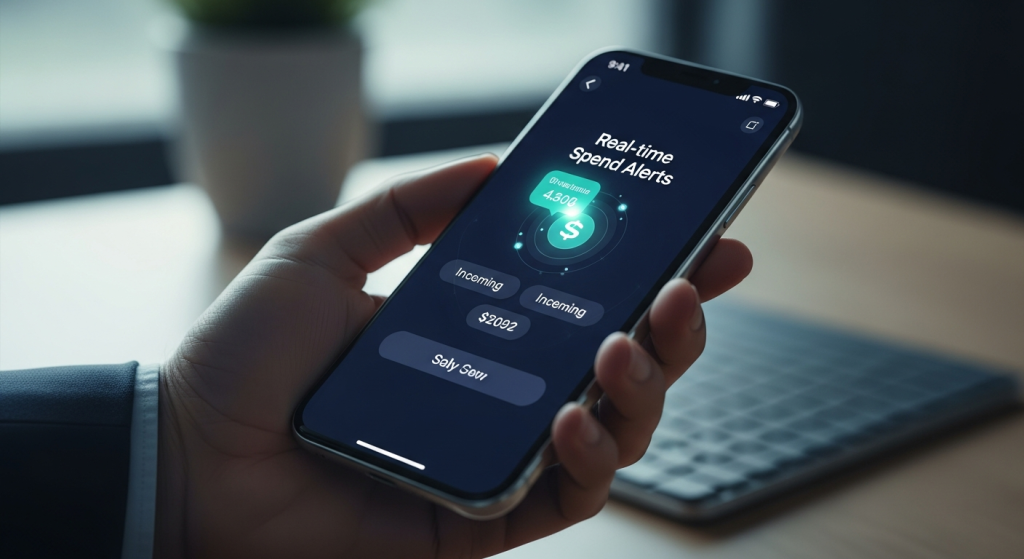
As a budget owner, you face a constant challenge: maintaining financial control. Unexpected expenses and budget overruns can appear without warning. You often discover these issues weeks later, during a monthly review. By then, the damage is already done. However, there is a powerful solution that provides immediate oversight.
Real-time spend alerts offer a proactive way to manage your finances. Instead of reacting to old data, you get instant notifications about transactions. This empowers you to stop overspending before it starts, detect fraud instantly, and foster a culture of financial accountability within your team. Consequently, you can move from reactive damage control to proactive budget management.
What Are Real-Time Spend Alerts?
Real-time spend alerts are automated notifications that inform you about financial transactions as they happen. Think of them as a watchdog for your company’s accounts. Whenever a purchase is made that meets your criteria, you receive an immediate message. This concept is already common in personal banking, where users want instantly to be notified of a transaction to monitor their balance.
These alerts are delivered through various channels to ensure you never miss important information. For instance, you can receive them via:
- Text message (SMS)
- Push notifications on a mobile app
This flexibility allows you to choose the method that best fits your workflow. As a result, you stay informed whether you are at your desk or on the go. The core idea is to bring financial data to you in the moment it’s most relevant.
The Power of Instant Information
In today’s world, we expect real-time data everywhere. We get instant notifications for travel delays, package deliveries, and work messages. Your financial oversight should be no different. Waiting for end-of-month reports is an outdated practice that leaves your budget vulnerable. Real-time alerts close this information gap, giving you the power to act immediately.
Why Every Budget Owner Needs Immediate Spend Visibility
Adopting real-time spend alerts is more than a convenience; it is a fundamental shift in how you manage financial resources. This immediate visibility offers several critical advantages that directly impact your bottom line and operational efficiency. Therefore, it is a crucial tool for modern budget management.
Instantly Detect Fraud and Unauthorized Spending
Fraudulent charges can drain your budget quickly. With traditional methods, you might not spot a suspicious transaction for weeks. However, real-time alerts change the game. Imagine getting a notification for a $500 purchase you don’t recognize. You can immediately contact your financial provider to investigate.
Major card issuers like Visa emphasize this benefit, helping you identify possible fraudulent activities in near real-time. This rapid response minimizes financial loss and protects your company’s assets.
Prevent Budget Overruns Before They Happen
The primary goal of any budget owner is to stay within budget. Real-time alerts are your first line of defense against overspending. When you see spending approach a project’s limit, you can intervene. For example, you can pause further expenses or re-allocate funds. This proactive approach is far more effective than explaining overruns after the fact. It transforms budget management from a historical review to a live, dynamic process.

Empower Your Team with Financial Accountability
When your team members know that spending is monitored in real-time, their behavior changes. This transparency encourages more thoughtful purchasing decisions. It fosters a culture where everyone shares responsibility for adhering to the budget. Moreover, it provides an opportunity to have constructive conversations about spending habits, reinforcing the importance of sound financial stewardship across the organization.
Customizing Your Alert System for Maximum Impact
Not all alerts are created equal. To make your system effective, you must customize it to your specific needs. Generic, untargeted notifications will quickly become noise. However, a well-configured system provides actionable insights without overwhelming you. Financial providers like Chase allow you to personalize your alerts and choose how you receive them.
Setting Smart Triggers: The Key to Effective Alerts
The power of a spend alert system lies in its triggers. These are the specific rules that determine when a notification is sent. By setting smart triggers, you ensure that you only receive alerts for transactions that genuinely require your attention.
Here are some of the most effective triggers you can set:
- Purchase Amount Thresholds: Get notified for any transaction that exceeds a specific dollar amount (e.g., any purchase over $1,000).
- International Purchases: Receive an alert when a card is used outside your home country, which can be a flag for both fraud and policy violations.
- Online or Phone Transactions: Monitor card-not-present transactions, which often carry a higher risk of fraud.
- Declined Purchases: An alert for a declined transaction can indicate that a card limit has been reached or that a potential fraud attempt was blocked.
- Specific Spending Categories: Track spending in key areas like software subscriptions, travel, or marketing to ensure it aligns with your budget.
Choosing Your Delivery Channels
How you receive alerts is just as important as why you receive them. Most systems offer multiple delivery options. For example, Chase provides alerts via text message, email, and push notification. You can choose the best channel for different types of alerts.
For instance, you might want critical threshold alerts sent as a text message for immediate action. On the other hand, a daily summary of all transactions could be sent via email. This customization ensures you get the right information in the right format at the right time.
The Hidden Danger: Avoiding “Alert Fatigue”
While real-time alerts are powerful, there is a risk of getting too much of a good thing. When you are bombarded with constant, low-value notifications, you can develop “alert fatigue.” This is a phenomenon where you become desensitized to alerts and start ignoring them, including the critical ones.
In the world of cybersecurity, security teams face a similar problem, where they must sort through millions of notifications to find real threats. Research on this topic highlights the importance of improving the Signal-to-Noise ratio to avoid missing actual attacks. The same principle applies to financial alerts. Your goal is not to see every single transaction but to see the ones that matter.
Strategies to Combat Alert Fatigue
To keep your alert system effective, you must manage it strategically. First, start with a minimal set of high-priority alerts. Focus on large transactions and potential fraud indicators.
Next, regularly review your alert settings. Are certain notifications consistently ignored? If so, adjust the trigger or remove it. Refining your system is a continuous process that aligns with modern FinOps best practices, which emphasize iterative improvement.
Finally, consider creating tiered alerts. For example, a team lead could receive alerts for their team’s daily spending, while you, the budget owner, only receive notifications for major budget deviations or cross-departmental spending. This delegates oversight without creating noise for everyone.
Implementing Spend Alerts in Your Organization
Getting started with real-time spend alerts is often simpler than you might think. Many of the financial tools and services you already use likely have these features built-in. The key is to know where to look and how to activate them.
Check with Your Current Providers
Your first step should be to investigate your existing financial partners.
- Corporate Credit Cards: Most major providers, including Visa and Chase, offer robust alert services. Log in to your online account portal or contact your representative to explore the options.
- Expense Management Software: Platforms like Expensify, Ramp, or Brex are built around real-time spend control and have sophisticated alerting capabilities.
- Cloud Providers: For tech budgets, cloud cost management is crucial. You can set up budget alerts in AWS, Azure, and Google Cloud to notify you when spending forecasts exceed your configured limits. This is a key part of effective cloud cost governance.
A Step-by-Step Setup Guide
While the exact steps vary by provider, the general process for setting up alerts is quite consistent.
- Sign In to Your Account: Access your account through the provider’s website or mobile app.
- Find the Alerts Section: Look for a menu item labeled “Alerts,” “Notifications,” or “Profile & Settings.”
- Select Accounts: Choose which credit cards or accounts you want to monitor.
- Choose Your Triggers: Select the conditions for your alerts, such as transaction amounts or types.
- Set Delivery Preferences: Enter the email address or phone number where you want to receive notifications.
- Save and Confirm: Save your settings. Many providers will send a confirmation message to verify your contact information.
Frequently Asked Questions (FAQ)
Are real-time alerts truly “instant”?
Most alerts are sent in “near real-time.” This means they are typically delivered within seconds or minutes of a transaction. However, delivery can sometimes be subject to delays from service outages or connection issues. For most purposes, they are fast enough for immediate action.
How do I sign up for spend alerts?
You can usually sign up by logging into your bank or credit card’s online portal or mobile app. Navigate to the “Alerts” or “Notifications” section under your profile settings. From there, you can choose which alerts you want to receive and how you want to receive them (email, text, or push notification).
Can I customize what I get notified about?
Yes, absolutely. Customization is a key feature. You can set triggers for transactions that exceed a certain amount, are made online, occur internationally, or when a credit is processed. This allows you to tailor the alerts to your specific monitoring needs.
What’s the difference between a spend alert and a fraud alert?
Spend alerts are typically configured by you to monitor budget adherence and general spending. You set the rules. On the other hand, fraud alerts are often sent automatically by your financial institution when their systems detect unusual activity that doesn’t match your normal spending patterns. Many banks do not require you to enroll for these fraud alerts.
Will I be charged for receiving alerts?
Most financial institutions offer account alerts for free. However, if you choose to receive alerts via text message (SMS), standard message and data rates from your mobile carrier may apply. There is typically no charge for email or push notifications.
In conclusion, real-time spend alerts are an indispensable tool for any modern budget owner. They provide the immediate visibility needed to control costs, prevent fraud, and build a culture of financial discipline. By moving away from outdated monthly reports and embracing instant notifications, you can protect your budget and make smarter financial decisions. Take the first step today by exploring the alert capabilities of your current financial providers.
